
Barracuda Entra ID Backup
Secure your Microsoft Entra ID data.
You need to back up your Entra ID data. In fact, Microsoft recommends it. Barracuda Entra ID Backup delivers cost-efficient backup and recovery services for your essential Entra ID data.
Recover easily from everyday errors and malicious attacks.
In the event of a ransomware attack or accidental deletion, you need a reliable backup with quick recovery capabilities.
Get cost-effective data protection.
Entra ID Backup offers a cost-effective solution for safeguarding your critical data in the cloud.
Protect your data in minutes.
Barracuda Entra ID Backup protects your Entra ID data from accidental or malicious data loss, and you can easily recover with a secure, intuitive cloud-based UI. Deploy in minutes, and start protecting your vital Entra ID data.
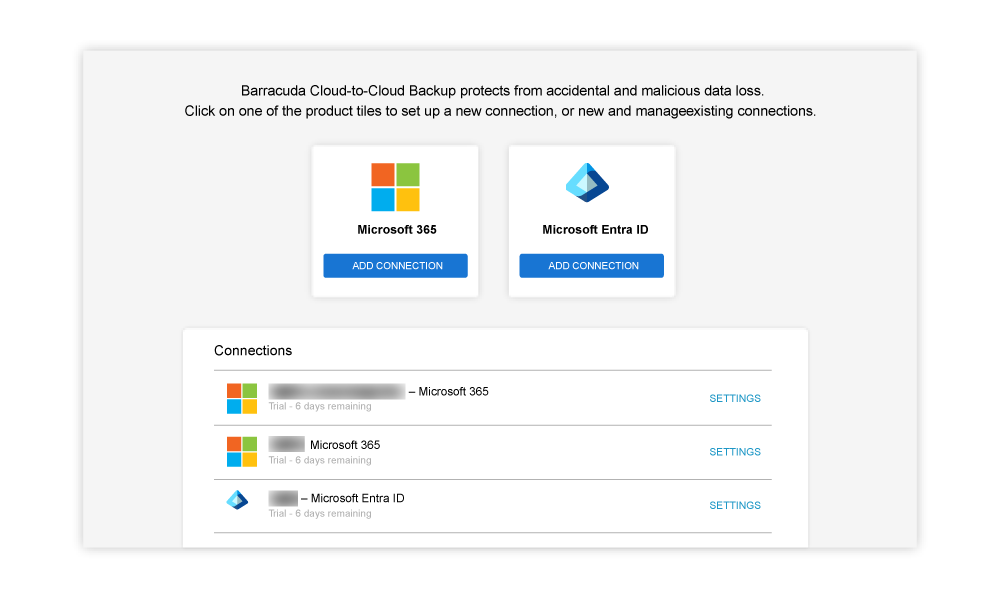
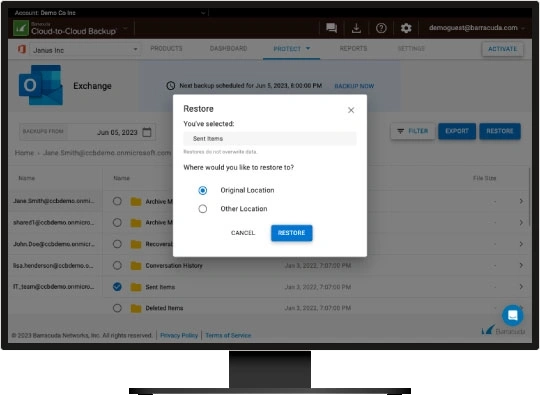
Back up and recover Entra ID data from the cloud-based UI.
Why you need backup for Entra ID.
Entra ID is a cloud-based identity and access management service that is used to provide and track who has access to any internally developed or third-party SaaS applications your organization uses, such as Microsoft 365, Azure, or other applications. If your Entra ID data is not available for any reason, your workforce will not be able to access these resources, leaving your organization at a standstill. It is essential to have a secure backup of your most critical data, including Entra ID.
Recover your data with reliable ransomware protection.
Attackers know that Entra ID data is crucial to keeping organizations up and running, so they specifically target it. They know that if they lock or destroy Entra ID data, you are more likely to pay a ransom quickly. They also know that Microsoft only retains Entra ID data for 30 days. Restoring an Entra ID instance without a backup is difficult and time-consuming. That is why Microsoft recommends backing up Entra ID as part of their shared responsibility model. With Entra ID Backup, organizations can restore data from any desired point in time, surpassing Microsoft’s maximum retention period of 30 days and leaving attackers empty-handed.
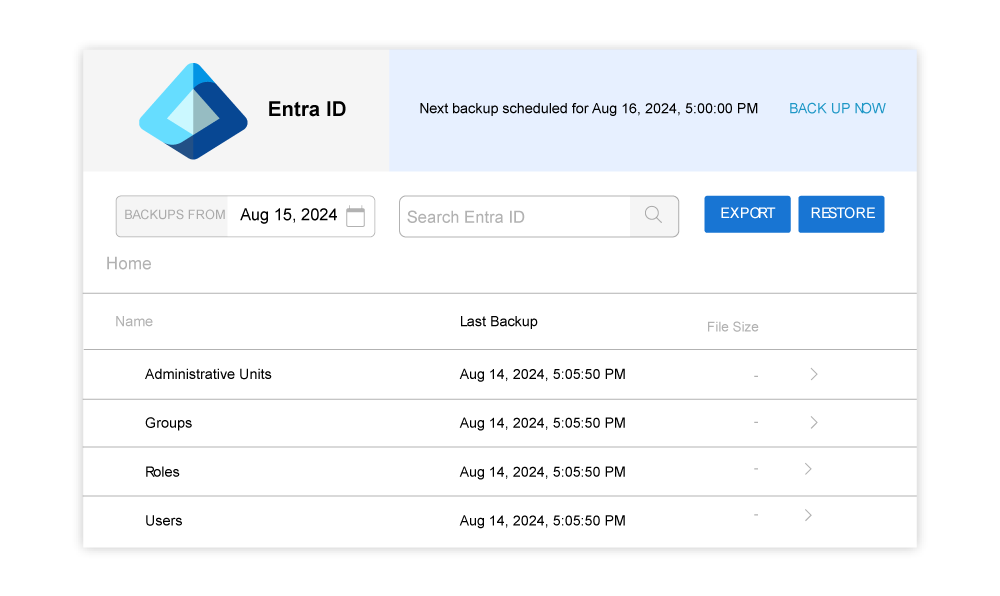
Quickly recover from ransomware.
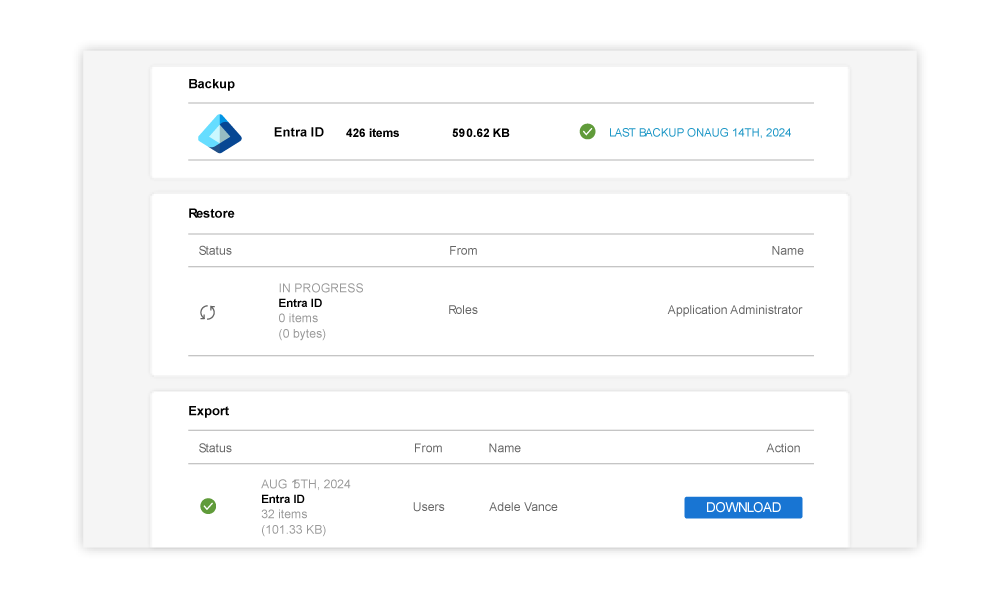
Entra ID Backup includes unlimited storage and retention.
Get cost-effective data protection.
Entra ID Backup offers a cost-effective solution for safeguarding your critical data in the cloud. It offers seamless SaaS cloud backup with multiple copies, advanced AES-256 encryption in transit and at rest, and flexible recovery options, ensuring the security and availability of your information.
With Entra ID Backup, you benefit from simple, all-inclusive per-user pricing, providing cost predictability. There are two versions of Entra ID Backup: the basic version covers your user identities, and the premium version covers all Entra ID components, including policies, devices, logs, BitLocker keys, and application registrations.
In addition, Entra ID Backup provides unlimited storage and retention capabilities. This means that your organization can access and retrieve the required data, going back as far as necessary. This ensures the ability to reverse accidental changes and recover data you need.
If you choose to license Barracuda Cloud-to-Cloud Backup for Microsoft 365 or already own it, the basic version of Entra ID Backup is automatically included at no additional cost.
Protect your data in minutes.
Entra ID Backup’s cloud-based UI makes it fast and easy to find and restore the data you’re looking for. You can also monitor the status of your backups, evaluate the health of your data, and access storage statistics. An audit log and email alerts keep you informed about every action taken, ensuring you are always informed on the backup process. And deployment only takes 5 minutes — from sign up to running your first backup.
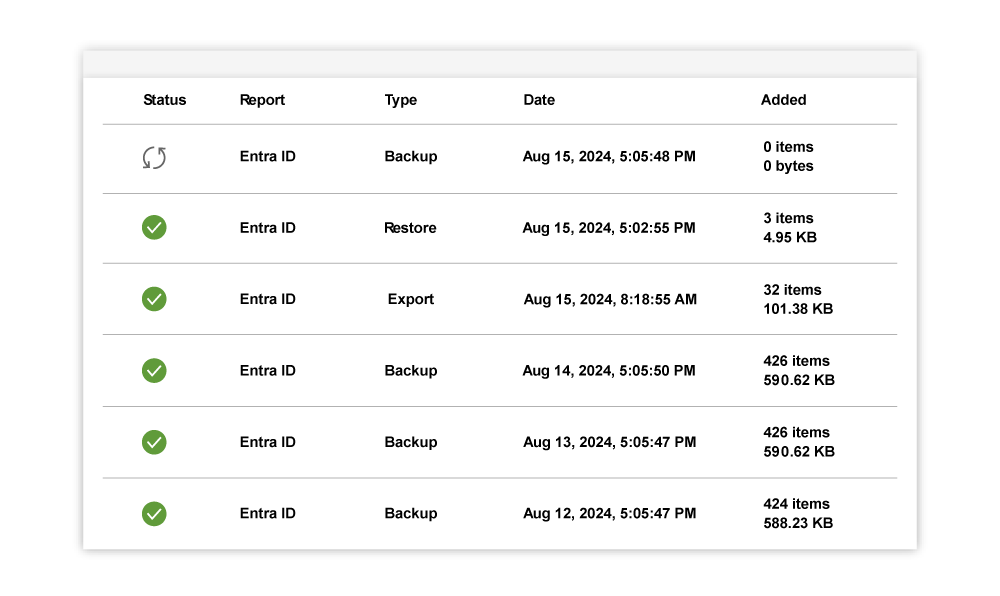
See everything happening with your backup at a glance.
Other products you may be interested in.
Entra ID Backup is available as a stand-alone product in two versions: basic and premium. The basic version is included with Barracuda Cloud-to-Cloud Backup at no additional charge. Protect your on-premises data and Microsoft 365 email with Barracuda Backup and Barracuda Email Protection.
Frequently asked questions
Why should I back up Microsoft Entra ID?
Microsoft states explicitly in the shared responsibility model that they are not responsible for protecting your data. Here’s the bottom line (in Microsoft’s own words):
“You own your data and identities. You are responsible for protecting the security of your data and identities, on-premises resources, and the cloud components you control (which varies by service type).”
In the event of a cyberattack or accidental deletion, having a reliable backup with quick recovery capabilities is crucial. Restoring Entra ID data can be a labor-intensive manual process. Entra ID data is vital to your operations, and downtime can be expensive.
What data does Barracuda Entra ID Backup protect?
Barracuda Entra ID Backup is available in two tiers: included with Barracuda Cloud-to-Cloud Backup for M365 and Barracuda Entra ID Backup Premium. The version included with Barracuda Cloud-to-Cloud Backup for M365 protects the user, group, role, and administrative unit object types from Microsoft Entra ID. Barracuda Entra ID Backup Premium protects all the user components as well as app registrations, audit logs, authentication method policies, authentication strength policies, BitLocker keys, conditional access policies, device management, enterprise applications, and named locations.
How is Barracuda Entra ID Backup licensed?
For customers who purchase Barracuda Entra ID Backup without licensing Barracuda Cloud-to-Cloud Backup, it is licensed on a per-user basis. For Barracuda Entra ID Backup, all member users in the tenant must be licensed.
Barracuda Entra ID Backup is included at no additional charge for customers who license Barracuda Cloud-to-Cloud Backup for Microsoft 365 data.
How much storage does Barracuda Entra ID Backup provide?
You are free to back up and protect an unlimited amount of Entra ID data in Barracuda Cloud Storage.
How long can I retain my backup data?
Unlimited retention means you can retain the data as long as you would like.
How do I access my Microsoft 365 backups?
Barracuda Entra ID Backup is software-as-a-service (SaaS), and it is accessed and managed through the same trusted Barracuda Cloud-to-Cloud Backup application available today for backing up Microsoft 365 data.
Barracuda Cloud-to-Cloud Backup can be accessed through Barracuda Cloud Control, a cloud-based service that makes it easy to monitor and configure Barracuda products and services from a single console.
Can I restore multiple items at once?
Yes, Barracuda Entra ID Backup allows the selection of multiple items during a restore without performance issues
Schedule your Entra ID Backup demo
Get a personalised product demo with a Barracuda cybersecurity expert.
What is covered in the demo:
- Recover easily from everyday errors and malicious attacks.
- Enable a full backup in minutes with no storage limits.
- Set a retention policy for data hygiene.
- Backup and restore data from any desired point in time.
- Implement multi-factor authentication to protect your data.
- Protect backups from cyberattacks.