
Barracuda Google Workspace Protection
Protect Google Workspace with Barracuda Email Protection
Over 80,000 organisations trust Barracuda for email security
127%
increase in identity based attacks targeting Google Workspace
40%
of organizations say the lack of automation is the main obstacle to faster incident response
3.4 billion
malicious emails are sent every day globally
Google Workspace is designed for collaboration and productivity, but email remains the primary entry point for modern attacks. Phishing, business email compromise (BEC) and account takeover attacks continue to evolve, with targeted messages often bypassing native protections and being delivered to users.
Barracuda Email Protection adds the advanced, AI-powered security Google Workspace needs. With layered defences, automated remediation and post-delivery response, it safeguards email, accounts and domains against today’s most sophisticated threats.
Enhance security beyond native Gmail protections
Attackers deliberately design email threats to evade native email filtering. While Google Workspace provides baseline protection, it’s not built to stop today’s targeted, socially-engineered attacks.
Barracuda enhances Google Workspace security with advanced detection that goes beyond signature‑based and rule‑based defences.
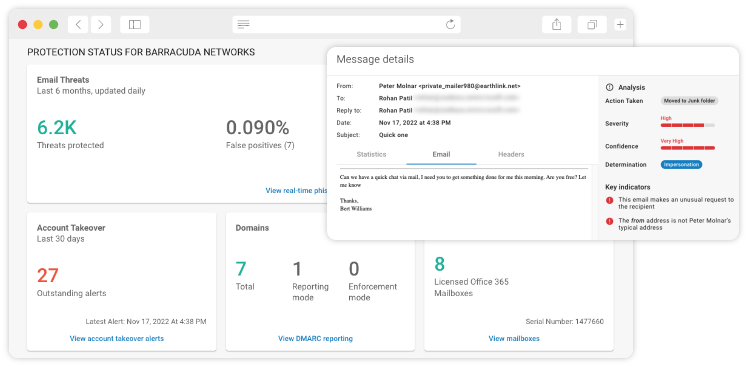
Protect Email
Strengthen native Google defences with AI-powered threat detection that identifies:

Protect against all major email threats, including BEC and impersonation
Use context-aware AI to analyse behaviour, relationships, and anomalies
Identify malicious links, attachments, and emerging threats using behaviour-based detection
Barracuda analyses email behaviour, sender relationships and message intent to stop attacks that appear legitimate and are often missed by native controls.
Protect Accounts
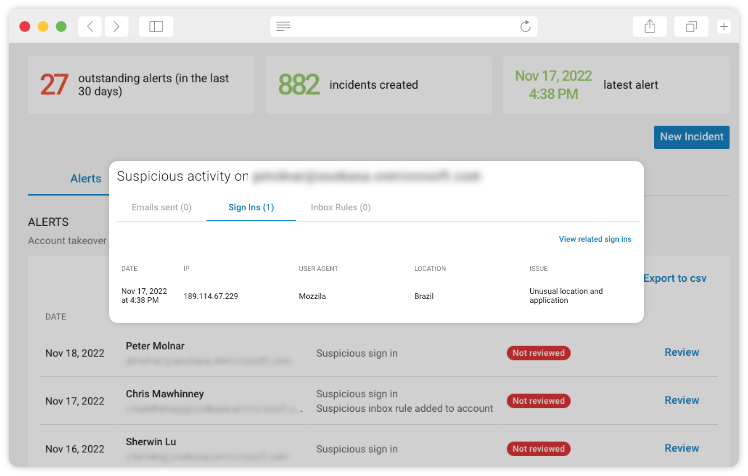
Email threats don’t stop after delivery. Barracuda helps detect and contain account compromise by identifying anomalous sending behaviour, suspicious forwarding activity and signs of credential abuse — then automatically removes malicious emails sent from compromised accounts.
Protect Domains
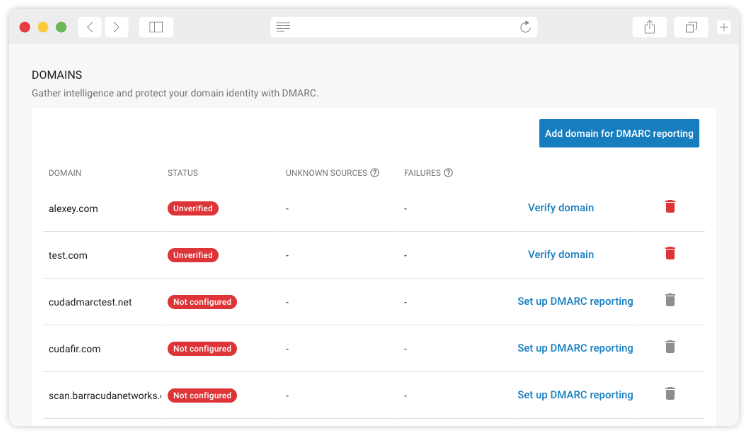
Native Google Workspace security doesn’t fully protect against domain spoofing or brand impersonation. Barracuda adds domain fraud protection and DMARC reporting to help prevent attackers from abusing trusted domains and deceiving users, customers and partners.
Improve response when threats get through
When a malicious message reaches a user’s inbox, speed and automation matter.
Google Workspace provides limited post‑delivery remediation capabilities. Barracuda closes this gap with automated response and visibility tools that reduce risk and operational overhead.
Respond to Threats Faster
Barracuda enables security teams to:
Automatically detect and remove malicious emails post-delivery
Hunt for similar threats across all mailboxes
Gain visibility into who was targeted and who interacted with the message
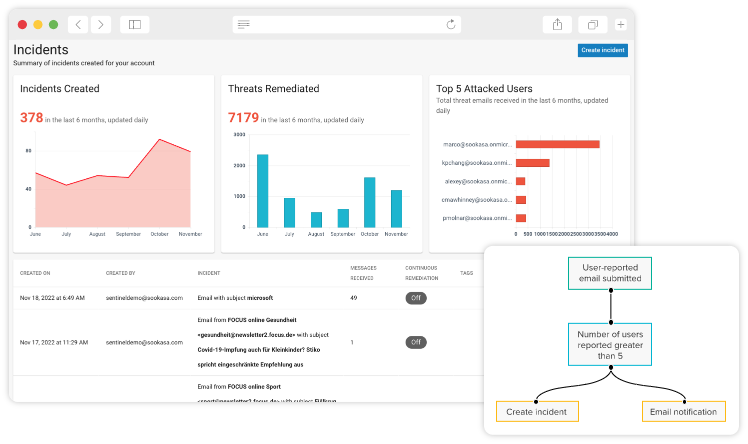
Automated workflows reduce manual effort and shorten response times—limiting the impact of successful attacks.
Protect more than email.
Stop account takeover with XDR.
Account takeover attacks don’t stop at the inbox. Once credentials are stolen, attackers can move across cloud applications.
Barracuda combines Email Protection with Managed XDR Cloud Security to deliver integrated account takeover protection that helps block phishing and credential theft, automate response and extend protection beyond email with 24/7/365 SOC support.
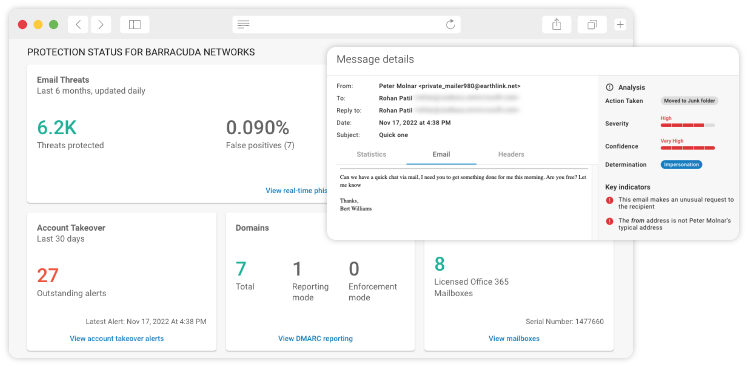
Key benefits:
Prevent & detect: Block phishing and detect account takeover attempts early
Automated response: Disable compromised accounts in seconds
Extended coverage: Protect applications that go beyond email
SOC-backed: 24/7/365 expert monitoring and response
Top 5 reasons to add protection to Google Workspace
Google Workspace delivers a strong security baseline, but modern attacks are more targeted, trust‑based, and designed to bypass native controls. Adding layered protection to Google Workspace helps close critical gaps.
Schedule your Email Protection demo
Get a personalised product demo with a Barracuda cybersecurity expert.

What is covered in the demo:
- Scan for latent threats in your inbox.
- Identify and understand your current email cyber risks.
- How to set up Barracuda Email Protection in minutes.
- How to protect your data and ensure compliance.
- How Barracuda automates threat detection and response.